Automate security investigations with a local AI workflow
Natural-language SOC assistance on your stack — Elasticsearch, Ollama, and Elastic MCP — without shipping logs to the cloud.
BUILT ON A TRUSTED LOCAL STACK
 Elasticsearch
 Docker
 Next.js
 TypeScript
 LangChain
 RedisElasticsearchDockerNext.jsTypeScriptLangChainRedis
PROBLEM
Manual log hunting is a hassle.
Alert overload
SOC teams drown in raw logs and noisy events without a local-first way to ask clear questions of their own data.
Slow investigations
Jumping between Kibana, shells, and tickets burns minutes when you need answers about IPs, hosts, and windows now.
Cloud lock-in risk
Shipping sensitive security telemetry to third-party AI endpoints is a non-starter for many regulated environments.
SOLUTION
Evidence first. Language second.
Purpose-built around local models and security indices — not a generic chat wrapper.
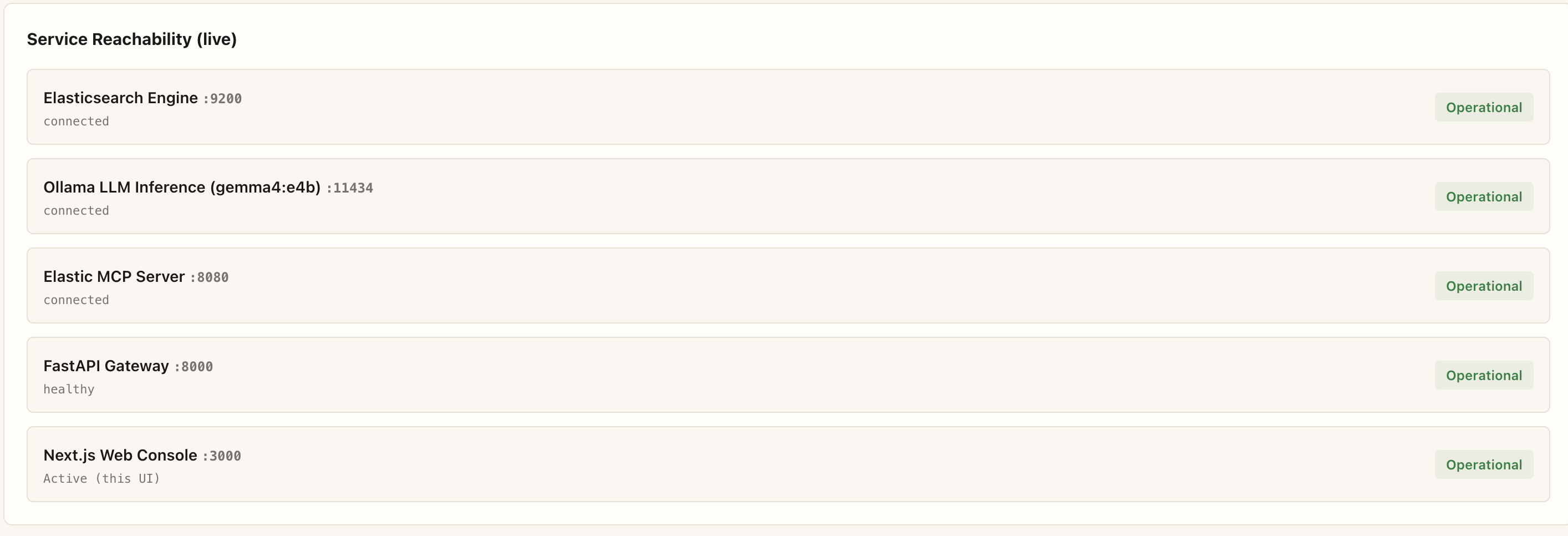
Live stack reachability
ES, Ollama gemma4:e4b, Elastic MCP, FastAPI, and Next.js report real Operational status — not mock badges.
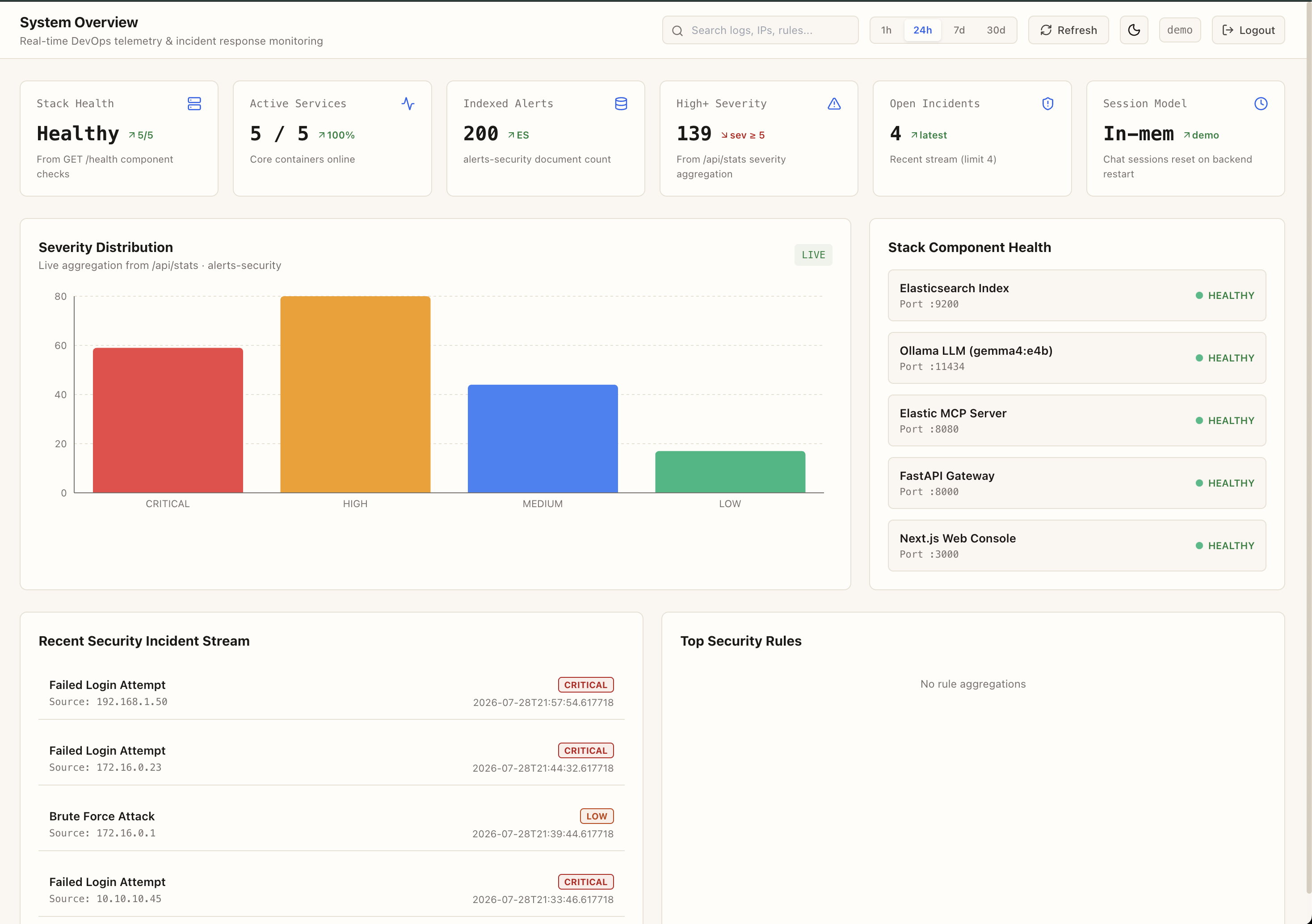
System overview on seed data
200 indexed alerts, severity distribution from /api/stats, and healthy stack components in one console.
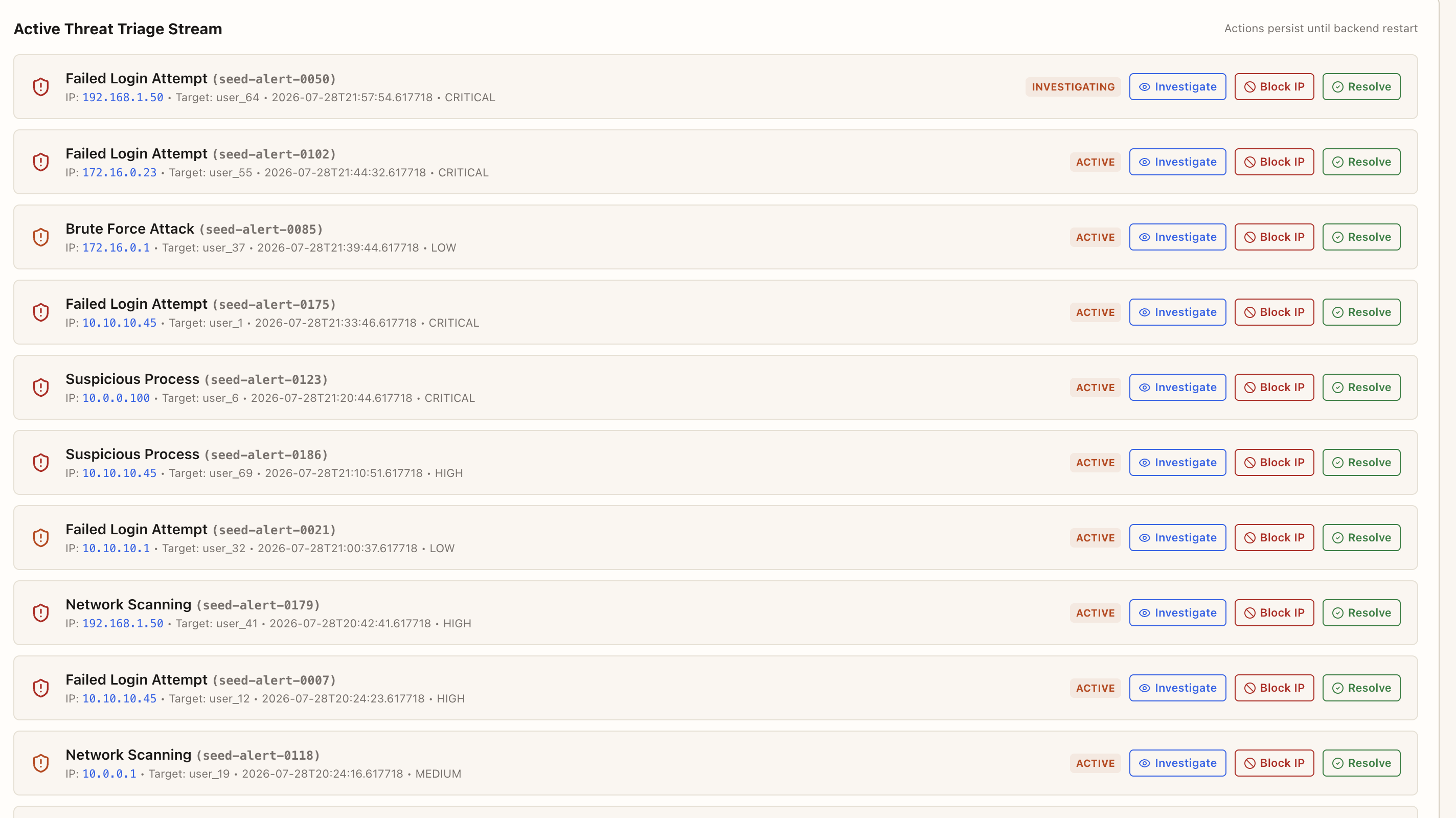
Active threat triage
Investigate, block IP, or resolve seed alerts from the same corpus the agent searches.
HOW IT WORKS
Just 3 steps to get started
1. Boot the local stack
Bring up Elasticsearch, Ollama, Elastic MCP, and FastAPI with Docker Compose. Seed alerts land in alerts-security.
2. Verify health in one place
The console checks real connectivity — model tag, MCP ping, cluster health — not fake status badges.
3. Investigate with context
Open the operations console to explore modules, logs, and the foundation that later agent phases will use.
OPERATIONS CONSOLE PREVIEW
ARCHITECTURE
Foundation in three layers
Intake, topology, and triage — one screen, no endless sticky chapters.
Intake
Security alerts index into Elasticsearch (alerts-security) with deterministic seed data for demos.
Topology
FastAPI gateway links the analyst to Ollama, Elasticsearch, and Elastic MCP over the Docker network.
Triage
Incidents surface with severity so you can scope the window before agent workflows arrive in later phases.
ElasticsearchDockerNext.jsTypeScriptLangChainRedisFEATURES
Surfaces you will use day to day
Switch tabs to preview modules — not the same console repeated three times.
DESIGN PRINCIPLE
“Evidence first, language second. The agent only earns trust when Elasticsearch, Ollama, and MCP are actually healthy.”
FAQ
Frequently asked questions
Ready when your stack is healthy
Open the operations console to verify health and explore Phase 0 modules.
- Docker Compose foundation
- Seed security alerts
- Ollama + Elasticsearch + MCP